Take your SQL from Good to Great: Part 1
Written by The Count Team
Discover SQL hacks to elevate your skills! Part 1 explores Common Table Expressions for clearer, faster, and more reliable queries. Perfect for quick iterations and trustworthy validations.
Last week I saw atweetthat got me thinking: what are the SQL ‘hacks’ I would go back and teach myself sooner if I could? This simple question quickly turned into a series of articles that expounds on some of my favorite methods explaining both why they’re useful, and how to use them. The topics I’ve selected are:
Part 1: Common Table Expressions
Part 2: All about those dates
Part 3: The other JOINs
Part 4: Window Functions
Part 5: User-Defined Functions
What’s a CTE?
Common Table Expressions (CTEs) are temporary tables that are available in a single query. They use the following syntax:
WITH cte_name AS

(SELECT ... FROM ... )

SELECT * FROM cte_name;
Why they matter
To show why this seemingly benign query construction is so beneficial, let’s look at an example. Say I have two tables:
- matches: a large file of tennis match statistics
- players: a file of tennis player metadata
I want to find how old each player was when they won their first Grand Slam Final.
To do this, I’ll need to find the first time each player won a Grand Slam from the matche stable, then use the players table to compare that date to their birthdate.
There are many approaches to this problem, but they largely boil down to two approaches:
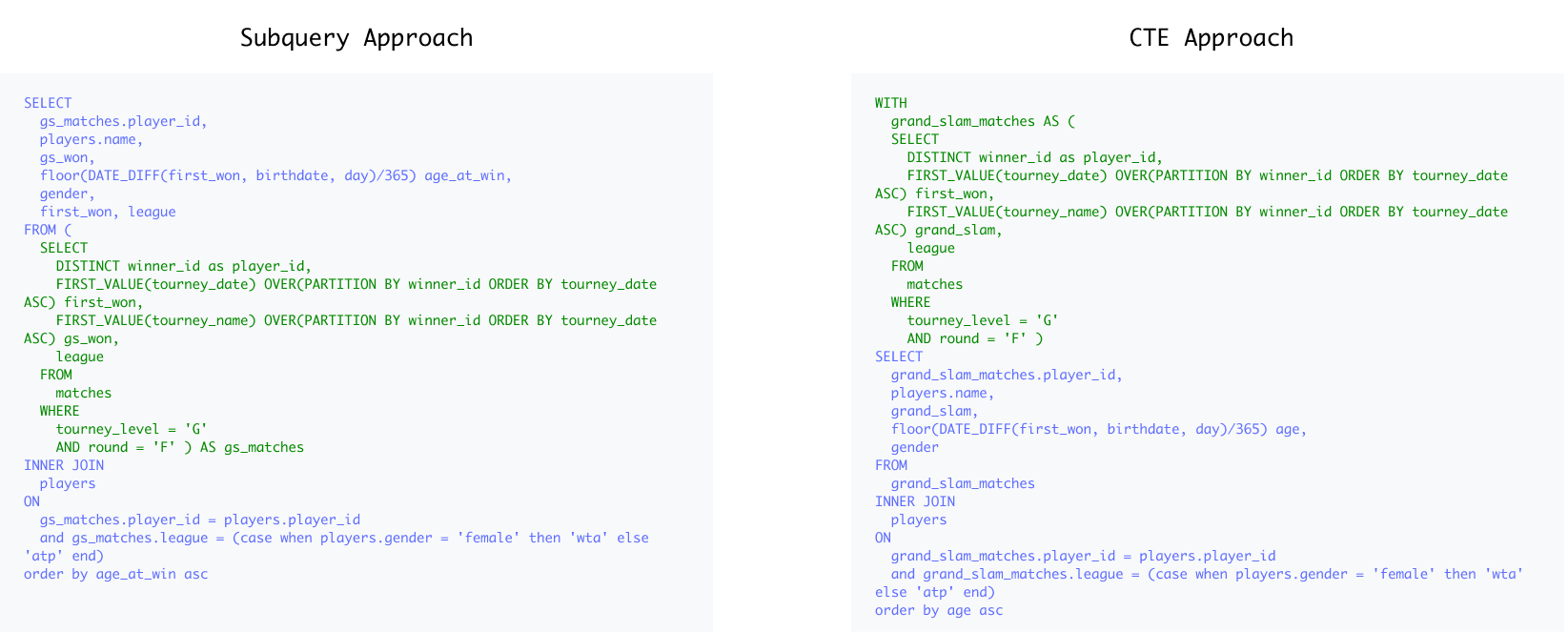
While both approaches are similar in length, and the logic applied is identical, there are a few distinct advantages to the CTE approach:
1. It‘s easier to understand.
If Step 1 of answering this question involves getting the first time each player won a Grand Slam, shouldn’t that be the first thing you read?
With subqueries, the order of execution is nearly impossible to discern as you’re forced to scan for the lowest level indentation and work your way up and around until you finally reach the first line. CTEs let you construct your query in a way that simply makes sense, benefiting not just you as you write the query, but also anyone else forced to try to interpret it.
2. Faster iterations.
What if I wanted to know the youngest players to get to a Grand Slam Final but lose? Or the oldest players to win a final in any tournaments, not just Grand Slams?
I can easily adjust my CTE grand_slam_matches to answer these questions, without having to worry if I’m making the changes in the right subquery.
So much of data analysis involves these quick iterative tweaks to our queries as we have ‘conversations’ with the data. These “tweaks” can swell to painful tasks when we have complex queries; CTEs give you a common-sense structure to get these quick tweaks done…quickly.
3. Trustworthy Validations
Like every good analyst, I will always validate my results (😉), and CTEs make that far more straightforward. Since I can check each individual CTE I can quickly identify the source of any validation errors and troubleshoot a single logical step instead of dealing with a tangled mess of subqueries.
I think that’s 40–love to CTEs if you’re keeping score.
CTE power-up 👾
The benefits of CTEs at an individual query level are numerous, but what if we could take the benefits of the CTE and apply it across ourentireanalysis, not just one query?
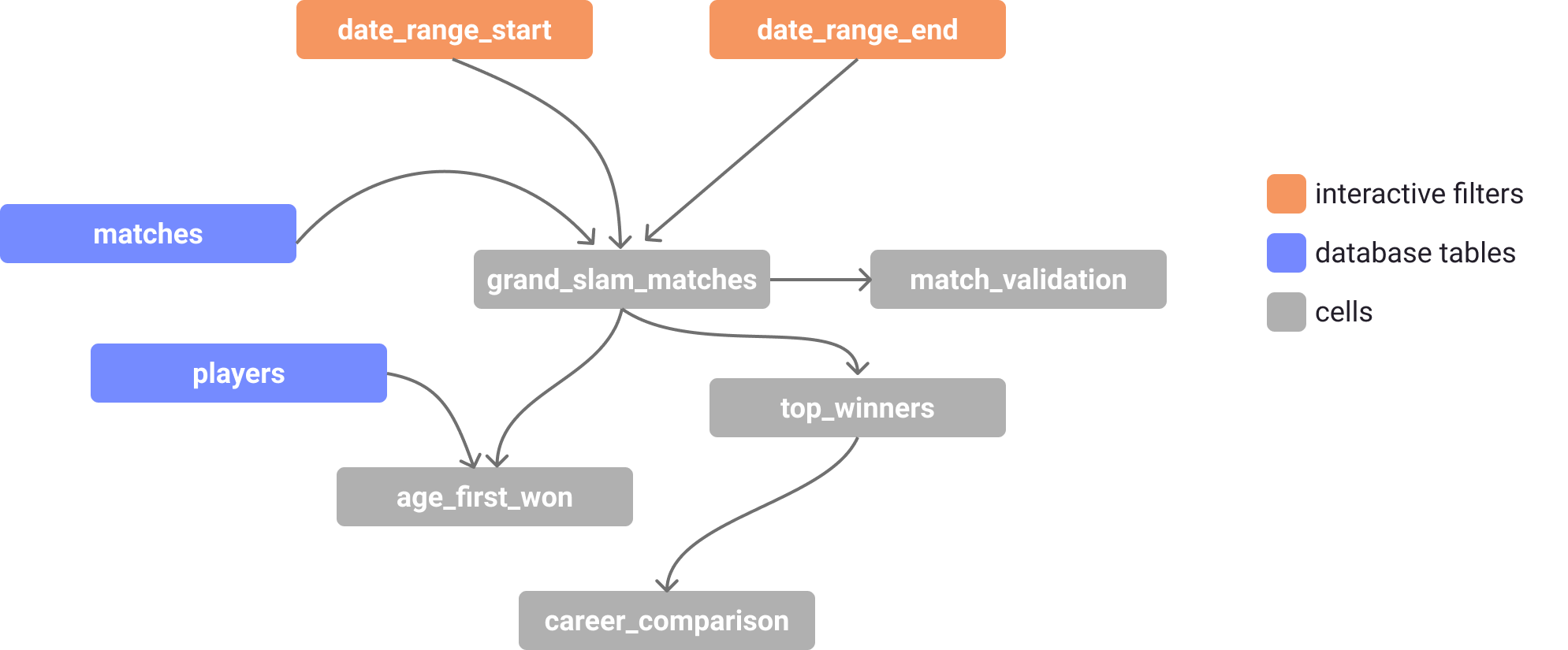
With the recent advancements in SQL notebooks, we can start to see what’s possible when we apply the CTE construct to a larger scale. In these notebooks, each cell represents a CTE, and each of these cells can be referenced by any other cell, in effect, creating an entire connected graph of CTEs.
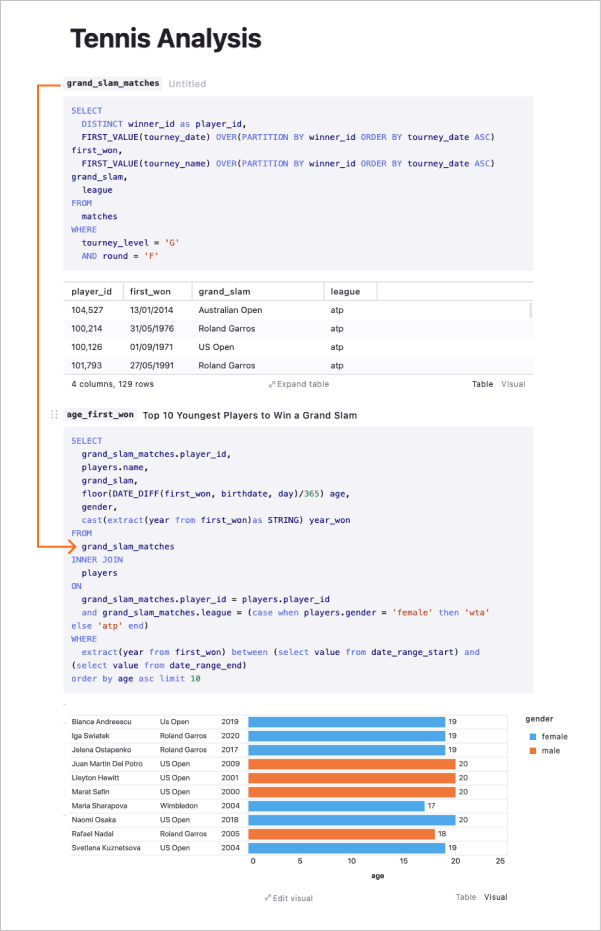
Or as a connected graph:
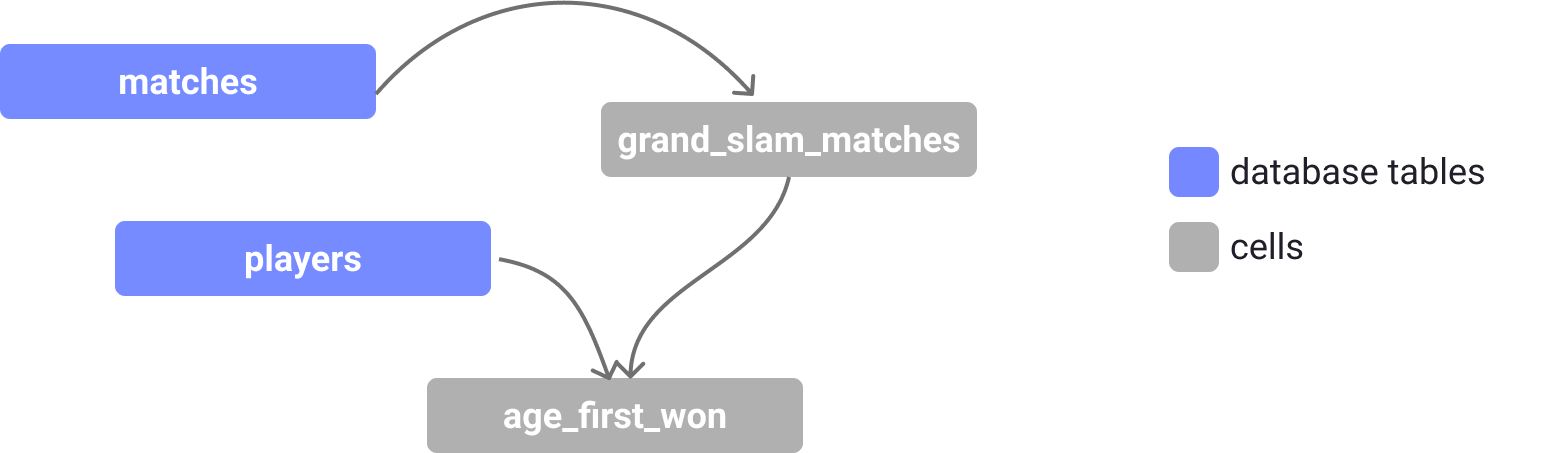
What this enables you to do can be surprising. You still enjoy the benefits of a single CTE such as building up your analysis in a logical flow, making quick iterations and validation checks, but in addition, it allows for parameterization of queries and text.
The cumulative effect is something more like an app than a query.
If we wanted to expand our analysis to include a few more queries, we can chain more cells together. And if we wanted to include global filters, we can add those to the notebook and link those in like any other cell.
CTE best practices
- Use unique and meaningful names of columns and CTEs (please don’t do
WITH ‘cte’ AS…)
- Try to make them ‘general’ so you can easily go back and tweak the logic